
Top 10 AI Automation Workflows Every Small Business Should Implement in 2026
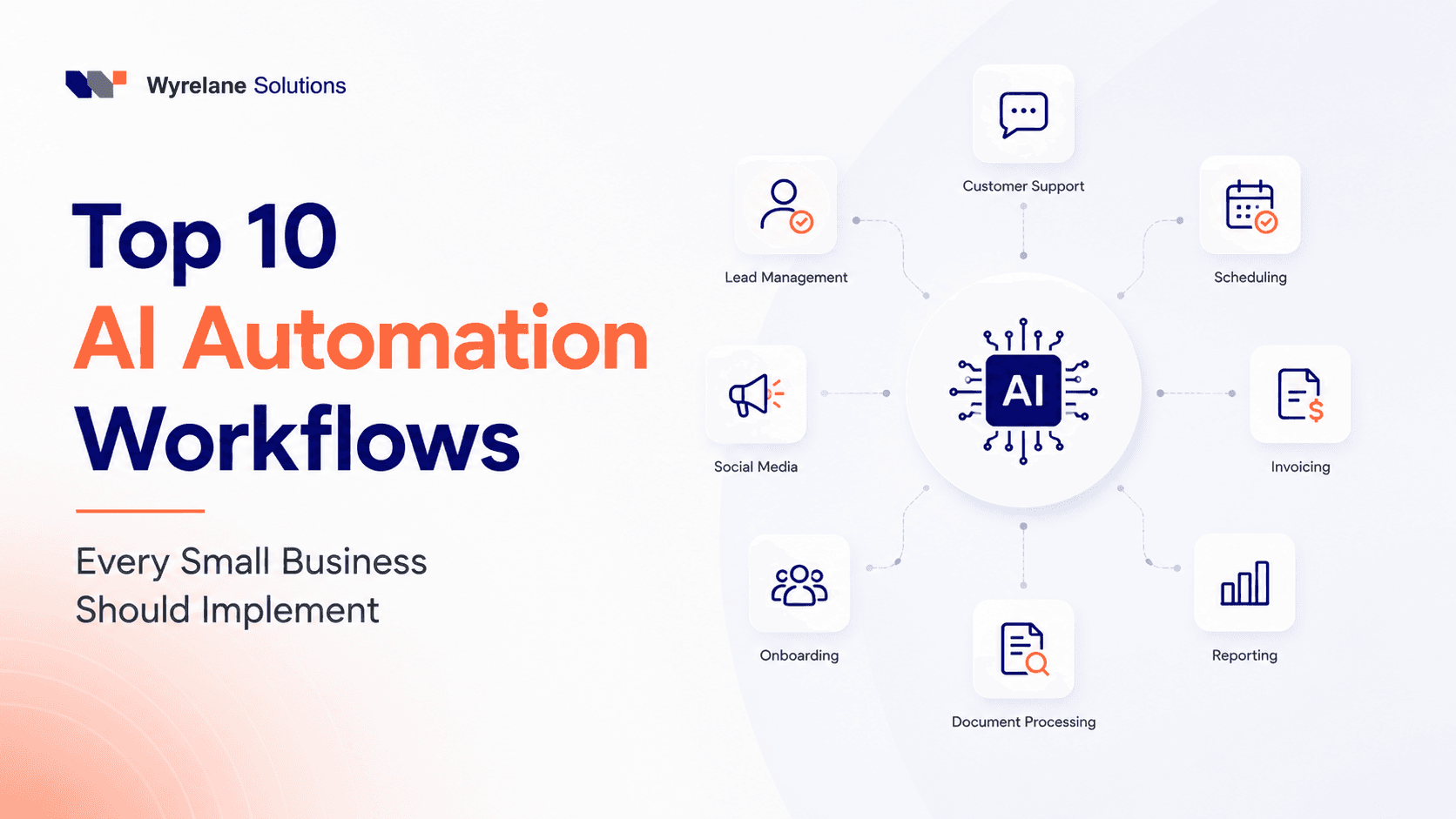
Top 10 AI Automation Workflows Every Small Business Should Implement in 2026
If you run a small business, chances are your to-do list looks less like a strategy and more like a survival checklist. Answer the customer's email. Chase the unpaid invoice. Update the CRM nobody trusts. Find a meeting slot that works for everyone. Post something, anything, on social media before the week ends.
None of it is difficult work. It's just constant, and it eats the hours you actually needed for the parts of the business only you can do, talking to customers, closing deals, deciding what's next.
This is exactly the gap AI automation is built to fill. Not by replacing your team, but by taking the repetitive, rule-based work off their plate so they can spend their time on things that actually move the business forward.
We've pulled together the ten workflows small businesses are getting the most value from right now, based on what's actually working in practice, not just what sounds good in a pitch deck.
Why This Matters More Than It Used To
A few years ago, "AI for business" mostly meant chatbots that gave frustratingly generic answers or content tools that wrote serviceable-but-bland copy. That's changed. Modern AI tools, particularly AI agents that can take actions across multiple apps, not just answer questions, can now handle entire workflows from start to finish.
The businesses seeing the biggest gains aren't necessarily the ones with the biggest budgets. They're the ones who picked one annoying, repetitive process, automated it properly, and then moved on to the next one. That's the approach we'd recommend too, and it's the order we've laid these out in.
1. Instant Response to New Leads
The average small business takes hours, sometimes days, to respond to a new enquiry. By then, most people have already messaged two competitors and forgotten which one you even were.
An AI agent connected to your website form, email, or chat widget can reply within seconds, not with a generic "thanks, we'll be in touch," but with something useful: answering a common question, collecting the details you'd normally ask for on a discovery call, and booking a time on your calendar if the lead looks like a good fit.
The businesses that do this well aren't automating the whole sales conversation. They're automating the first five minutes, so a human takes over once there's something worth talking about.
Typical time saved: 4–6 hours a week, mostly reclaimed from the back-and-forth of "just following up" emails.
2. Customer Support That Doesn't Sleep
Look at your support inbox for a week, and you'll probably notice the same handful of questions coming up again and again: pricing, shipping timelines, refund policy, "is this in stock." None of these need a human brain. They need a fast, accurate answer.
An AI-powered support assistant can handle these instantly, day or night, and hand off to a real person the moment a question gets complicated or a customer sounds frustrated. The goal isn't to remove the human from support; it's to make sure the human only deals with the conversations that actually need one.
Typical time saved: 6–10 hours a week for a small support team, which is often the single biggest win on this list.
3. Invoicing and Payment Follow-Ups
Chasing unpaid invoices is one of those tasks nobody wants to own, so it usually gets done late, inconsistently, or not at all. An automated workflow can send the invoice, follow up a few days before it's due, chase it again if it's overdue, and quietly notify your team once payment lands.
The value here isn't just the hours saved. It's the fact that the follow-ups actually happen on schedule instead of "whenever someone remembers," which tends to improve cash flow more than people expect.
Typical time saved: 2–3 hours a week, with the side benefit of getting paid faster.
4. Meeting Scheduling Without the Email Chain
"Does Tuesday at 2 pm work? How about Wednesday?" is a conversation that shouldn't take four emails, but somehow always does. Scheduling automation checks your real calendar availability, offers a few slots, confirms the booking, sends reminders, and handles the reshuffling if someone needs to move things.
Typical time saved: 2–4 hours a week, and considerably more if your business involves a lot of client calls or consultations.
5. Keeping Your CRM Actually Accurate
Most CRMs fall apart not because the software is bad, but because nobody has time to update it consistently. New leads don't get logged. Meeting notes live in someone's inbox instead of the record. Follow-ups get missed because the system doesn't know they're due.
An AI agent can log new contacts automatically, pull key details out of emails and calls, and update customer status without anyone touching a keyboard. The result is a CRM your sales team can actually trust, which matters more than people give it credit for.
Typical time saved: 3–5 hours a week, usually recovered from sales and admin staff.
6. A Social Media Workflow That Doesn't Rely on Willpower
Content creation is only half the problem. The other half is the admin around it, resizing images for different platforms, writing captions, figuring out hashtags, scheduling posts at the right time, and repurposing a blog post into five smaller pieces of content.
AI tools can now handle most of that supporting work, turning one piece of content into a week's worth of posts without someone manually rebuilding each one from scratch.
Typical time saved: 4–6 hours a week for a business publishing regularly across two or more platforms.
7. Reporting That Writes Itself
Someone on your team almost certainly spends part of their week pulling numbers from Google Analytics, your CRM, your ad platforms, and your support tool, then formatting all of it into a report nobody particularly enjoys reading either.
Automated reporting pulls the same data on a schedule and delivers a clean summary straight to your inbox, no spreadsheet required, and no chasing people for numbers on a Friday afternoon.
Typical time saved: 2–4 hours a week, plus far fewer version-control headaches.
8. Document Processing That Skips the Manual Data Entry
If your business still involves someone opening PDFs, contracts, or forms and manually typing information into a spreadsheet or database, this is one of the highest-value automations on the list. AI can extract the relevant details from a document, file it correctly, populate the right system, and even kick off an approval workflow if one's needed.
Typical time saved: 3–5 hours a week, more for businesses handling contracts or applications regularly.
9. Onboarding New Employees Without Reinventing the Wheel Each Time
Every new hire needs roughly the same things: a welcome email, account access, a set of documents to review, a training checklist, and policy sign-offs. Doing this manually for every hire means it's rarely done the same way twice, and something usually gets missed.
Automating onboarding means every new employee gets a consistent, complete experience from day one, without someone manually working through a checklist in their head.
Typical time saved: 2–3 hours per new hire, which adds up quickly for businesses hiring regularly.
10. Getting Reviews Without Having to Ask Awkwardly
Happy customers rarely leave reviews unprompted, not because they don't want to, but because it slips their mind. An automated request sent right after a purchase, a completed project, or a support interaction, while the experience is still fresh, dramatically increases the number of people who follow through.
Typical time saved: 2–3 hours a week, plus a steadier stream of reviews that help with both trust and search visibility.
How to Decide What to Automate First
You don't need all ten of these running by next month. Trying to automate everything at once is a fast way to end up with broken workflows nobody trusts. Start with the task that's:
Repetitive and predictable
Rule-based, not judgment-based
Time-consuming relative to its actual value
Done at least weekly
Whichever task on this list makes your team groan the most is usually the right place to start. It's where the win will feel real fastest, and where you'll build the internal confidence to automate the next thing.
Mistakes That Quietly Undo the Time Savings
Automating a broken process. If a workflow is inefficient today, automation just makes the inefficiency happen faster and more consistently. Fix the process first, then automate it.
Trying to automate everything at once. Complex sales conversations, sensitive support cases, and anything involving real relationship-building still need a human. The goal is to assist your team, not replace the judgment they bring to the table.
Ignoring integration. An automation that doesn't connect to your existing CRM, accounting software, or help desk just creates a second system to maintain, and duplicate work is worse than no automation at all.
Setting it and forgetting it. The first version of any automated workflow is rarely the best. The businesses getting the most value out of this stuff review and refine their setups every few weeks, especially early on.
What This Actually Adds Up To
The real value of AI automation isn't the hours themselves, though they matter. It's what a business can do with a team that isn't buried in admin. Small businesses that automate their most repetitive workflows commonly recover somewhere between 20 and 40 hours a month, time that goes back into sales conversations, better customer relationships, and the strategic work that actually grows the business rather than just keeps it running.
You don't need to automate everything at once, and you probably shouldn't try. Pick one process. Get it working properly. Measure whether it's actually saving time. Then move to the next one. Small, well-executed automations compound faster than most people expect.
Frequently Asked Questions
Is AI automation expensive to set up for a small business? Not necessarily. Many of these workflows can be built using existing tools and integrations without custom development. Costs scale with complexity; a simple automated email response is far cheaper to set up than a fully custom AI agent handling multi-step workflows.
Will AI automation replace my team? For most small businesses, no. The workflows above are designed to remove repetitive admin work, not judgment-based tasks like sales strategy, complex customer relationships, or decision-making. Teams that automate well typically redirect that time toward higher-value work rather than cutting headcount.
How long does it take to see results? Most businesses see measurable time savings within a few weeks of launching a single automation, though it's common to spend the first couple of weeks refining it based on real usage before it runs smoothly.
Which workflow should a small business automate first? Whichever repetitive task consumes the most time relative to how little thinking it actually requires. For most small businesses, that's either lead response or customer support, since both directly affect revenue and customer experience.
Ready to Automate Your Business?
If you're spending more time managing repetitive admin than growing your business, that's usually a sign it's time to automate. We help small businesses design AI automation workflows that connect with the tools they already use, with no unnecessary complexity and no rip-and-replace of your existing systems.
Get in touch, and we'll show you exactly where automation could save your team the most time.
More posts
All posts →
WhatsApp Chatbots for Business: Automate Sales & Support Without Losing the Human Touch
A customer messages your business on WhatsApp at 11:30 pm. Your team's offline. By morning, they've already messaged a competitor. Here's how businesses are using AI-powered WhatsApp chatbots to catch that moment, without turning every conversation into something that feels robotic.
How We Saved 20+ Hours Per Week Using AI Agents (And What We'd Do Differently)
We didn't set out to "transform our workflow with AI." We just wanted to stop drowning in busywork. Here's exactly how our small team clawed back over 20 hours a week using AI agents, including the mistakes we made along the way.

How AI Is Changing Ecommerce in 2026
The ecommerce experience customers expect in 2026 barely resembles what worked five years ago. AI search, AI agents, and predictive inventory aren't experimental anymore; they're quickly becoming the baseline. Here's what's actually changed, and what it means for businesses still catching up.